
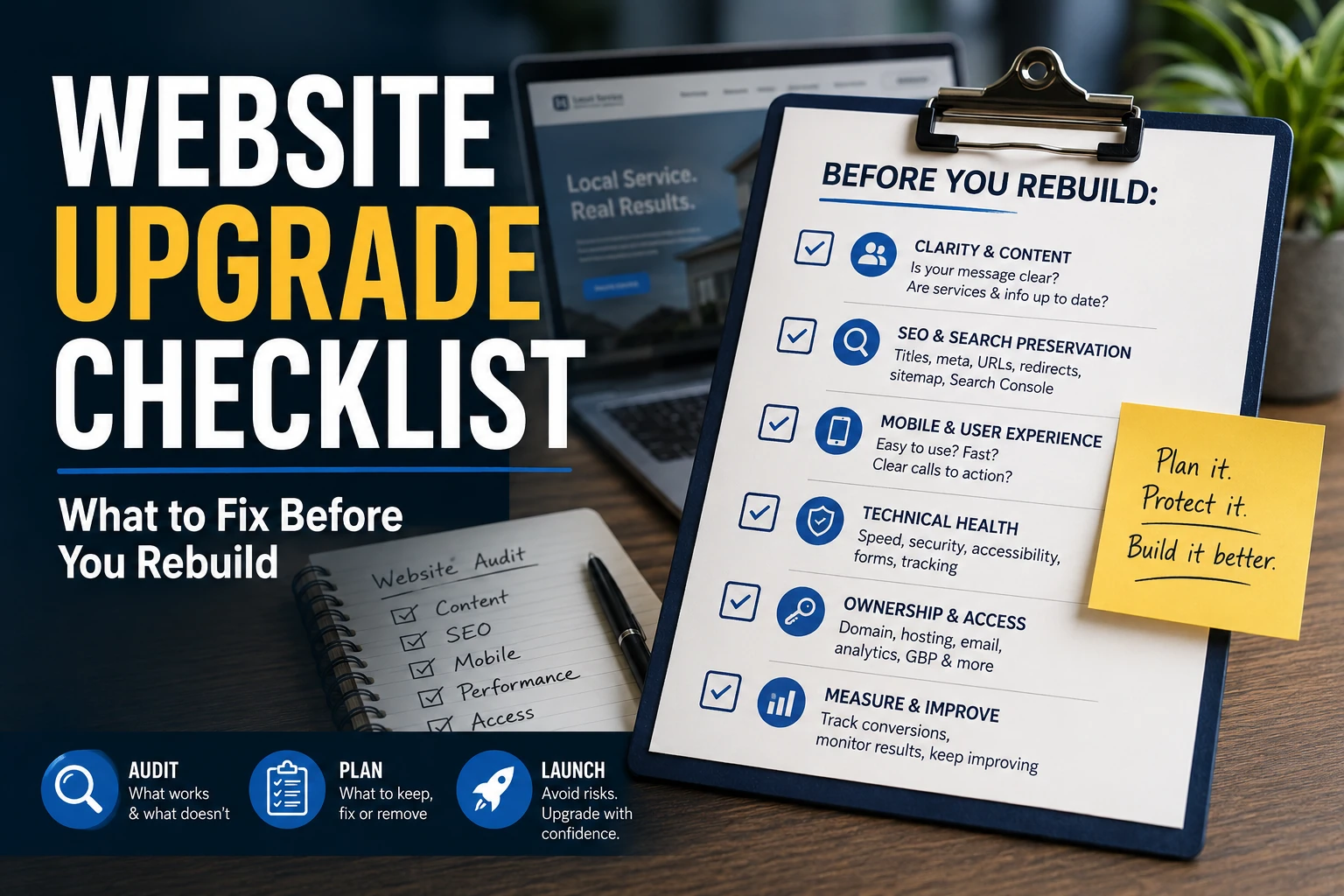
A practical upgrade checklist for deciding what to keep, fix, remove, or rebuild before your website project turns into a cosmetic mess.
Current as of: May 27, 2026. Google Search, Google Business Profile, platform features, and DNS/email procedures change. Recheck those source notes before relying on exact workflows.
Quick answer Start with an upgrade audit. Keep what already proves trust or brings customers in, fix the paths that block calls, bookings, quotes, and service understanding, preserve useful URLs and search signals, confirm account ownership, then decide whether you need targeted fixes, a refresh, technical cleanup, or a full rebuild.
Why a rebuild should start with an audit
If your website feels old, rebuilding it might be right. It might also be overkill. The first question is not "What colors should we use?" It is "What is actually failing?"
A rebuild can change the things customers and search engines rely on: service pages, URLs, navigation, forms, booking links, tracking, mobile layouts, title tags, internal links, domain settings, and account access. Google's site move guidance treats URL-changing moves as real migration work: map old URLs, use redirects, update links, submit sitemaps, and monitor after launch. Google also says search systems do not guarantee that every page will be crawled, indexed, or served, even when a site follows guidance.
That does not mean a redesign is dangerous by default. It means the rebuild should be scoped like a business, content, SEO, and customer-path project - not like a paint job.
For a local business, the audit needs to answer five questions before anyone commits to a full rebuild:
- Can customers understand what you do and where you work?
- Can they call, book, email, or request a quote without friction?
- Which pages, proof, photos, reviews, and search signals should be preserved?
- Who controls the domain, DNS, hosting, analytics, Google Business Profile, and booking tools?
- What must be tested before and after launch?
First decide: fix, refresh, clean up, or rebuild
Older does not automatically mean broken. Some sites need a new platform. Some need better service pages. Some need a working form and less vague homepage copy. The useful move is the smallest one that fixes the real problem.
Decision guide: what kind of work does the site need?
| Situation | Better first move | Why |
|---|---|---|
| The site works, traffic and leads are stable, and the complaint is mostly taste. | Leave it alone for now, then polish. | A rebuild adds risk without a clear problem to solve. |
| The main issues are weak CTAs, old photos, broken forms, or unclear contact paths. | Targeted fixes. | Low blast radius, fast customer-path improvement. |
| Services, offers, FAQs, or service areas changed. | Content refresh. | Customers need accurate pages before a new design helps. |
| The site is slow, insecure, hard to crawl, or full of plugin/CMS issues. | Technical cleanup or SEO repair. | Fix the underlying system before redesigning the surface. |
| Mobile is broken, the CMS is painful, URLs are messy, or the platform cannot support the business. | Full rebuild or migration. | The structure and tooling are now part of the problem. |
A professional audit is useful because it separates cosmetic irritation from actual failure. That is where money gets saved and bad rebuild scope gets cut.
The pre-rebuild checklist
Use this checklist before choosing a template, hiring a designer, or moving platforms. Not every item has the same risk. A bad hero image is annoying. A lost domain login or broken redirect map can stall the whole project.
Core audit checklist before rebuilding
| Area | What to check | Risk if skipped |
|---|---|---|
| Business clarity | Homepage explains service, customer, area, and next step. | Visitors cannot quickly decide whether you fit. |
| Services | Priority services have plain-language detail, proof, FAQs, and CTAs. | People leave or call with basic questions. |
| Local fit | Address, hours, service area, Google Business Profile, and site copy align. | Wrong-fit leads and local confusion. |
| Proof | Reviews, testimonials, photos, case studies, credentials, and examples are current. | A prettier site still feels unproven. |
| Conversion paths | Phone, email, forms, quote requests, and booking links are tested on mobile. | Leads vanish quietly. |
| Search preservation | Current URLs, top pages, titles, internal links, sitemap, redirects, robots, and noindex rules are reviewed. | Useful pages can disappear, misroute, or lose context. |
| Technical health | Mobile parity, Core Web Vitals, image weight, HTTPS, accessibility, broken links, and security warnings are checked. | The new site can be slower, less usable, or harder to index. |
| Ownership | Domain, DNS, hosting, CMS, Search Console, Analytics, Business Profile, email, and booking tools are controlled. | Launch day depends on missing logins or an old vendor. |
For the customer-facing side, start brutally simple. Open the site on a phone and ask: can a new visitor tell what you do, where you work, why they should trust you, and how to act? Nielsen Norman Group's usability work on homepages, menus, trust, and forms supports the same basic point: clarity, current content, navigation, and low effort matter.
For the technical side, do not guess. Pull data from Search Console and Analytics when available. Use the Search Console Performance report to identify useful pages and queries, the Page Indexing report and URL Inspection tool to review indexability, and Analytics key events or funnel reports to confirm whether forms, calls, bookings, or quote paths are being measured.
What to keep, improve, merge, remove, or redirect
A rebuild is a chance to clean up the site, but cleanup does not mean deleting everything old. Some ugly pages are still doing useful work. Some shiny pages are dead weight.
Before rebuilding, inventory pages and sort them into five buckets.
Content decision framework
| Decision | Use when | Next action |
|---|---|---|
| Keep | The page gets useful search clicks, calls, forms, bookings, referrals, links, or customer trust. | Preserve the page or improve it without changing the URL unless needed. |
| Improve | The topic is still valid, but the page is thin, stale, vague, or missing proof. | Rewrite, add examples, answer real questions, and strengthen the CTA. |
| Merge | Two pages answer the same need or split a service awkwardly. | Build one stronger page and redirect old URLs to the relevant new page. |
| Remove | The content is obsolete, misleading, unsupported, or no longer part of the business. | Remove it carefully; use a relevant redirect only when one exists. |
| Redirect | The URL changes, has inbound links, or people may still visit it. | Map the old URL to the closest relevant new destination. |
Good inputs for this step include Search Console queries/pages, Analytics conversion events, Google Business Profile performance, backlink data if available, old campaign URLs, sales questions, booking history, and staff notes about what customers misunderstand.
The goal is not to keep every page. The goal is to avoid deleting useful demand signals and customer proof just because the old design looks rough.
What can break during a rebuild
The scary version of this topic is usually overblown. A redesign does not automatically kill SEO. The careful version is true: a rebuild can change signals and paths that search engines and customers use to understand the site.
Here are the common failure points worth taking seriously.
Search and launch risks to control
| Risk | What happens | Safer move |
|---|---|---|
| URLs change without redirects. | Old links lead to errors or irrelevant pages. | Create and test a redirect map before launch. |
| Useful pages are deleted. | Search, referral, or customer paths vanish. | Check performance, links, and business value first. |
| Many URLs redirect to the homepage. | Users and search engines get weak destination signals. | Redirect to the closest relevant replacement. |
robots.txt or noindex is wrong. | Pages may be blocked, dropped, or still appear in odd ways. | Review crawl/index rules before and after launch. |
| Metadata and internal links disappear. | Pages lose context and click appeal. | Preserve or improve titles, descriptions, headings, and links. |
| Mobile content is thinner than desktop. | Google indexes from the mobile version. | Keep primary content and signals available on mobile. |
| JavaScript hides important links or content. | Search systems may need rendering before content is understood. | Use crawlable links and verify rendered pages. |
| Forms, booking, and tracking are not tested. | The site looks live while leads are broken. | Test every customer path and key event. |
Google's robots.txt guidance says robots rules are not the right tool for hiding pages from search results. Google's noindex guidance says noindex only works when the page can still be crawled. Those two details alone are enough to justify a real launch checklist instead of a vibes-based publish button.
Search Console setup also is not a magic indexing switch. It is a monitoring and debugging tool. Use it to compare before and after launch, submit sitemaps, inspect priority URLs, and catch indexing, HTTPS, security, or crawl problems early.
Ownership and account access
This is the boring section that saves projects. If nobody knows who controls the domain, DNS, hosting, email, Analytics, Search Console, Business Profile, CMS, or booking tools, the rebuild can stall right when the new site is ready.
Access inventory before launch
| Access item | Why it matters | Launch risk |
|---|---|---|
| Domain registrar | Controls the domain record and transfer path. | You cannot move or protect the domain cleanly. |
| DNS | Points the website and email to the right services. | Website or email can go down. |
| Hosting and CMS | Controls files, pages, backups, redirects, and edits. | No rollback, no fixes, no content control. |
| Business email | Depends on correct MX/DNS records. | Quotes, invoices, and customer messages can misroute. |
| Search Console and Analytics | Provides baseline and post-launch monitoring. | You cannot see what changed. |
| Google Business Profile | Controls local profile details, hours, services, links, and owners. | Local information and booking/contact links can be wrong. |
| Booking, CRM, payments, email marketing | Handles real customer actions after the click. | The new site sends customers into broken tools. |
| Photos, fonts, copy, stock assets | Determines what can be reused. | You may lose assets or reuse material you do not control. |
ICANN's registrant information and transfer FAQ make domain control an operational issue, not a design detail. Google also has separate ownership and permission models for Search Console, Analytics, and Business Profile.
Translation: get the logins and owner roles sorted before the rebuild starts. Doing it after launch pressure hits is an avoidable launch mess.
When to DIY and when to hire help
DIY is fine when the site is small, URLs are barely changing, the current site has little search value, forms are simple, and you control all accounts. A careful owner can fix copy, photos, CTAs, basic service pages, broken links, and simple forms.
Professional help becomes worth it when the risk stack gets taller:
- URLs are changing and redirects matter.
- The site has search traffic, backlinks, local rankings, or old pages worth preserving.
- Search Console, Analytics, DNS, hosting, or Google Business Profile access is unclear.
- Booking, payment, CRM, email marketing, or ecommerce tools are connected.
- Mobile layout, accessibility, performance, or security problems need real QA.
- The old platform is hard to edit, unsupported, or controlled by a vendor who is gone.
A good audit should not automatically recommend a full rebuild. It should say what to keep, what to fix, what to remove, what to redirect, what access is missing, and what launch risks need testing. Sometimes the honest answer is "fix these five things first." Sometimes the honest answer is "yes, rebuild it - but do not wing the migration."
Useful next step
Send your current site, social profile, booking link, or business details. I will show what is working, what is missing, and what is worth fixing first.
FAQ
What should I check before rebuilding my website?
Check business clarity, service pages, service area, proof, phone/email/forms/booking paths, mobile layout, SEO preservation, technical health, analytics, Search Console, Google Business Profile alignment, and account ownership.
Can I redesign my site without hurting SEO?
You can reduce the risk, but nobody can guarantee the outcome. Inventory current URLs, preserve useful content, create relevant redirects, keep internal links and metadata intentional, submit a clean sitemap, and monitor Search Console after launch.
Do I need a full rebuild or just a refresh?
You need a rebuild when the structure, platform, mobile experience, access model, or content system no longer supports the business. You may only need a refresh when the site works but has stale copy, weak proof, outdated visuals, or a few broken customer paths.
What pages should I keep when redesigning a website?
Keep pages that bring useful search traffic, generate calls or forms, earn backlinks, answer common buyer questions, show trust, support referrals, or explain important services. Improve weak but useful pages. Merge duplicates. Remove obsolete pages carefully. Redirect changed URLs to the closest relevant replacement.
What can break during a website rebuild?
URLs, redirects, indexing controls, title tags, internal links, forms, booking links, tracking, mobile layouts, local profile links, email/DNS settings, and old high-value pages can all break if nobody audits them before launch.
When should I hire a professional for a website rebuild?
Hire help when URLs are changing, the site has search value, account access is unclear, local search matters, forms or bookings are business-critical, or the rebuild includes DNS, hosting, email, CMS, performance, accessibility, or migration work.
Source notes
- Google Search Central: Site moves with URL changes - supports URL inventory, mapping, redirects, sitemap submission, monitoring, and the warning that significant changes can cause ranking fluctuations while Google recrawls and reindexes.
- Google Search Central: How Search works and SEO Starter Guide - support cautious language around crawl, indexing, serving, sitemaps, headings, and avoiding guaranteed ranking claims.
- Google Search Central: robots.txt, noindex, crawlable links, canonicalization, JavaScript SEO, title links, snippets, and image SEO - support the SEO-risk checklist.
- Google Search Console help - supports URL Inspection, Page Indexing, Performance, HTTPS, security, ownership, and launch monitoring concepts used in this article.
- Google Analytics help - supports using key events and funnel reports to measure lead paths before and after a rebuild.
- Google Business Profile help - supports ownership, service area, services, booking links, social links, and profile performance as local-business rebuild inputs.
- ICANN registrant resources and ICANN transfer FAQ - support domain ownership and transfer/access risk.
- W3C WAI forms guidance and related WCAG guidance on link purpose, focus order, focus visible, contrast, and non-text content - support accessibility checks for forms, links, keyboard behavior, contrast, and alt text.
- web.dev Web Vitals and image performance - support performance checks such as LCP, INP, CLS, image weight, and layout stability.
- Nielsen Norman Group homepage principles, attention research, information scent, trustworthy design, menu design, and form simplification - support customer-path checks around clarity, trust, navigation, and form effort.
- GOV.UK content design user needs and Writing for GOV.UK - support user-needs and plain-language content framing.
- Squarespace site launch checklist - used only as platform-specific support for practical launch checks such as domains, forms, integrations, devices, payment testing, and Search Console verification.